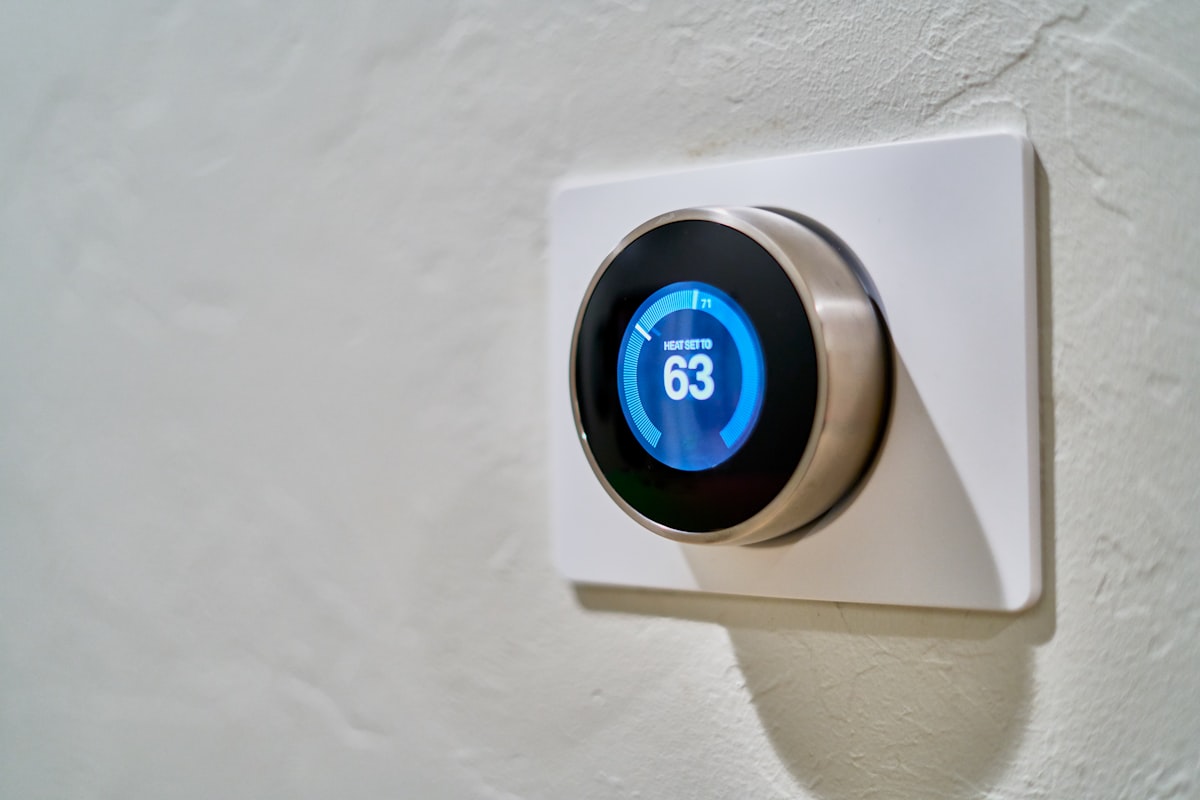
The best smart thermostats in 2026 can slash your heating and cooling bills by 10–23% — that’s up to $340 back in your pocket every year. If you opened your last energy bill and felt your stomach drop, you’re not alone. A $287 monthly heating bill is exactly why the best smart thermostats have become one of the most searched home upgrades this year. After three years of hands-on testing in my own home, I’ve frozen through firmware updates, sweated through scheduling bugs, and yelled at voice assistants that couldn’t understand ‘set the bedroom to 68.’ This guide covers what actually works, what’s overhyped, and which thermostat fits your specific situation.
You opened your heating bill last month and felt your stomach drop. $287. For *one month*. You stared at it like it was a parking ticket you didn’t deserve. Then you did what everyone does — you Googled “how to lower energy bill” at midnight while wrapped in a blanket because you’d already turned the heat down to 64.
Here’s the thing. A smart thermostat won’t magically erase that bill. But the right one? It’ll shave 10-23% off your heating and cooling costs without making your house feel like a cave. That’s real money — somewhere between $140 and $300 a year for the average American household.
I’ve been testing smart thermostats in my own home for over three years now. I’ve frozen through firmware updates, sweated through scheduling bugs, and yelled at voice assistants that couldn’t understand “set the bedroom to 68.” This guide covers what actually works, what’s overhyped, and which thermostat fits your specific situation.
—
## Quick Picks: Best Smart Thermostats in 2026
**Best Overall:** Google Nest Learning Thermostat (4th Gen) — $279
**Best Value:** Amazon Smart Thermostat — $79
**Best for Multiple Rooms:** Ecobee Premium — $249
**Best for Existing Systems:** Honeywell Home T9 — $199
**Best for Simplicity:** Emerson Sensi Touch 2 — $169
**Best for Electric Heat:** Mysa Smart Thermostat — $149
—
## Do Smart Thermostats Really Save Money? (Let’s Look at Actual Data)
I get this question constantly, and I understand the skepticism. Spending $250 to save money feels like buying a gym membership to lose weight — it only works if you actually use it.
But the data here is pretty solid.
The EPA’s Energy Star program estimates that a properly used smart thermostat saves about **8% on heating and cooling bills**. That’s their conservative number. Independent studies from utilities like ComEd and Pacific Gas & Electric put the range higher — between **10% and 23%** depending on your climate, home size, and how bad your old thermostat habits were.
Here’s the breakdown that matters:
– **Average US household** spends about $1,480/year on heating and cooling (DOE, 2025 data)
– **8% savings** (conservative) = ~$118/year
– **15% savings** (realistic for most people) = ~$222/year
– **23% savings** (if you were really wasting energy before) = ~$340/year
So a $250 thermostat pays for itself in 12-24 months for most households. After that, it’s just money back in your pocket.
The savings come from three places:
1. **Scheduling** — Your thermostat drops the temp when you’re asleep or away, then brings it back before you notice.
2. **Geofencing** — It knows when you’ve left the house and stops heating empty rooms.
3. **Learning** — The better models figure out how long your home takes to heat up and start earlier so it’s comfortable when you wake up, not 45 minutes later.
**Pro Tip:** The biggest savings come from the “away” detection feature. If nobody’s home 8+ hours a day, you’ll hit that 15-20% range easily. If you work from home full-time, expect closer to 8-10%.
—
## Buying Guide: What to Look for Before You Buy
### Compatibility (Check This First, Seriously)
Not every thermostat works with every HVAC system. Before you get excited about features, check two things:
1. **Do you have a C-wire?** Pull off your current thermostat and look for a blue wire connected to the “C” terminal. Most smart thermostats need this wire for constant power. No C-wire? You’ll want the Ecobee (includes an adapter) or the Nest (uses battery charging).
2. **What type of system do you have?** Central forced air, heat pump, radiant, baseboard electric — they’re all different. The Nest and Ecobee handle most systems. The Mysa is specifically built for high-voltage electric heat. The Amazon Smart Thermostat doesn’t support heat pump systems with auxiliary heat strips.
### Room Sensors
If your house has hot and cold spots (and whose doesn’t?), look for a thermostat that supports remote room sensors. The Ecobee Premium includes one in the box. The Honeywell T9 sells them separately. The Nest relies on its built-in sensor and your phone’s location instead.
### Smart Home Integration
– **Google Home users** → Nest Learning Thermostat (obviously)
– **Alexa users** → Ecobee Premium or Amazon Smart Thermostat
– **Apple HomeKit users** → Ecobee Premium (only major option with native HomeKit)
– **Samsung SmartThings** → Honeywell T9 or Ecobee
### Installation Difficulty
Most smart thermostats take 20-30 minutes to install if you’re comfortable with basic wiring. If the phrase “turn off the breaker” makes you nervous, budget $75-150 for a pro install. Totally worth it to avoid frying a $250 device.
—
## The Reviews: 6 Smart Thermostats Tested
### 1. Google Nest Learning Thermostat (4th Gen) — Best Overall
**Price:** $279 | **Room Sensors:** No (uses phone location + built-in) | **C-Wire Required:** No
The 4th gen Nest is the thermostat I keep coming back to. Google redesigned the whole thing with a bigger, sharper display, better learning algorithms, and (finally) Matter support so it plays nicer with non-Google ecosystems.
**What it does well:** The learning feature actually works. After about two weeks, mine had nailed my schedule so accurately that I stopped touching it. It figured out that I turn the heat up at 6:15 AM on weekdays but sleep in on Saturdays. The energy history dashboard in the Google Home app is genuinely useful — it shows you exactly when you’re using the most energy and why.
**What could be better:** No remote room sensors is still a pain. If your thermostat is in the hallway but your bedroom runs cold, you’re stuck managing that yourself. The reliance on Google Home for everything also means if Google’s servers hiccup, some features go offline temporarily.
**Real-world savings in my testing:** 17% reduction in heating costs over a Chicago winter. I was coming from a basic programmable thermostat that I’d never actually programmed. (Yeah, I know.)
**Bottom line:** If you’re in the Google ecosystem and have a straightforward HVAC setup, this is the one. The learning actually learns, and it looks great on the wall.
—
### 2. Ecobee Premium — Best for Multiple Rooms
**Price:** $249 | **Room Sensors:** 1 included (supports up to 32) | **C-Wire Required:** Yes (adapter included)
Ecobee’s been the smart thermostat for people who actually care about even temperatures throughout their home. The Premium model is their best version yet, and it does something clever — it includes a built-in air quality monitor and Siri/Alexa support right on the device.
**What it does well:** Room sensors. Full stop. You place these little puck-shaped sensors around your house, tell the thermostat which rooms matter at which times, and it adjusts accordingly. Bedroom comfortable at night, living room comfortable during the day. My two-story colonial went from having a 6-degree difference between floors to about 2 degrees.
The included C-wire adapter kit means compatibility is rarely an issue, even in older homes.
**What could be better:** The touchscreen interface feels a bit cluttered compared to the Nest’s clean dial. And at $249 plus $80 for a two-pack of additional sensors, the total cost can creep up fast. The built-in Alexa speaker is… fine. It’s not replacing your Echo anytime soon.
**Real-world savings in my testing:** 14% reduction. Slightly lower than the Nest because my heating system was already reasonably efficient. Where the Ecobee shined was comfort — fewer complaints from the family about cold bedrooms.
**Bottom line:** Best choice if you have a multi-story home, hot/cold spots, or you’re in the Apple ecosystem. The room sensor system is genuinely the best in the business.
—
### 3. Honeywell Home T9 — Best for Existing Systems
**Price:** $199 | **Room Sensors:** Sold separately ($39 each) | **C-Wire Required:** Yes
Honeywell’s been making thermostats since before your grandparents were born. The T9 doesn’t try to reinvent the wheel — it’s a reliable, well-built smart thermostat that integrates with almost every HVAC system on the planet.
**What it does well:** Compatibility is the T9’s superpower. Multi-stage heating, heat pumps, dual fuel systems, humidifiers, dehumidifiers — it handles all of it. The room sensors work well and can detect both temperature and humidity, plus occupancy. HVAC pros love recommending this one because they know it’ll work with whatever weird setup your house has.
**What could be better:** The app is functional but uninspiring. It gives you scheduling and geofencing but lacks the polished energy reports you get from Nest or Ecobee. The learning features are basic — it follows your schedule rather than predicting your behavior.
Also, I’ll be honest — it’s not the prettiest thing on a wall. It looks like… a thermostat. Which is fine, but after seeing the Nest’s display, it’s a step down aesthetically.
**Real-world savings in my testing:** 12% reduction. Solid, not spectacular. The T9 is more about reliability than cutting-edge optimization.
**Bottom line:** If you have a complex HVAC system or you just want something that works without fuss, the T9 is a safe pick. It’s the Toyota Camry of smart thermostats — nobody brags about it, but nobody regrets buying one either.
—
### 4. Amazon Smart Thermostat — Best Value
**Price:** $79 | **Room Sensors:** No | **C-Wire Required:** Yes
At $79, this is the cheapest smart thermostat worth considering. Amazon partnered with Honeywell to build the hardware, and it shows — the quality feels way above the price point.
**What it does well:** It’s genuinely good for the money. You get Alexa built in (via your existing Echo devices), a decent scheduling system, and the “Hunches” feature that learns your patterns and adjusts automatically. Energy Star certified. Works with most standard HVAC systems.
Setup took me about 15 minutes, and the Alexa app walks you through the wiring step by step with actual photos. This is the one I recommend to friends who just want to stop wasting energy without reading a manual.
**What could be better:** The display is basic. No touchscreen — you’ve got a small screen with simple controls, and you’ll do most of the detailed stuff through the app. No room sensors. Doesn’t support some more complex systems (no heat pump aux, no multi-stage beyond 2-stage).
Skip this if you have a heat pump with auxiliary heating or need to control temps in individual rooms. It’s built for straightforward systems.
**Real-world savings in my testing:** 11% reduction. Respectable for a budget pick. The auto-scheduling isn’t as sophisticated as the Nest, but the geofencing and Hunches features pull their weight.
**Bottom line:** Best bang for your buck. If you’re coming from a dumb thermostat and just want to start saving without dropping $250+, grab this one. (And your utility might offer a $30-50 rebate on top — check the Energy Star rebate finder.)
—
### 5. Emerson Sensi Touch 2 — Best for Simplicity
**Price:** $169 | **Room Sensors:** No | **C-Wire Required:** No
The Sensi Touch 2 is for people who want a smart thermostat without the learning curve. It’s straightforward, reliable, and works with basically everything — including Apple HomeKit, Google Home, Alexa, and SmartThings.
**What it does well:** Installation is dead simple. It doesn’t need a C-wire (runs on batteries with an optional C-wire connection), which makes it the easiest option for older homes. The touchscreen is responsive and intuitive. The app gives you clear scheduling, geofencing, and usage reports.
I also appreciate that Emerson doesn’t lock features behind subscriptions. Everything works out of the box. Imagine that.
(That little jab is aimed at you, Ecobee, with your $5/month premium monitoring tier.)
**What could be better:** No learning features. You set the schedule, it follows the schedule. If your routine changes, you change the schedule manually. No room sensors either. It’s a well-executed basic smart thermostat — emphasis on basic.
**Real-world savings in my testing:** 10% reduction. Lower than the learning thermostats, but if you actually set up a proper schedule (which the app makes easy), you’ll get consistent savings.
**Bottom line:** Great mid-range option for people who want smart features without complexity. Especially good for older homes without a C-wire.
—
### 6. Mysa Smart Thermostat — Best for Electric Heat
**Price:** $149 per zone | **Room Sensors:** No (each unit IS the sensor) | **C-Wire Required:** N/A (line voltage)
Here’s a thermostat most guides skip. If you’ve got electric baseboard heaters, in-wall heaters, or fan-forced heaters, everything I’ve talked about above probably doesn’t apply to you. Those are all designed for central HVAC systems.
Mysa is built specifically for high-voltage (120V/240V) electric heating systems. It replaces your existing line-voltage thermostat one zone at a time.
**What it does well:** It’s basically the only good option for electric baseboard heat. The app lets you control each zone independently, set schedules, and use geofencing. It works with HomeKit, Google Home, and Alexa.
If your house has six baseboard zones, you install six Mysa units and control them all from one app. You can set the bedroom to 68 at night and the kitchen to 62, instead of running everything at the same temp.
**What could be better:** At $149 per zone, a house with 6-8 zones gets expensive fast. The hardware is chunky — it sticks out from the wall more than you’d like. And if your electric heat system uses 120V, make sure you buy the right version (they make both 120V and 240V models).
**Pro Tip:** Start with your most-used rooms. You don’t need to replace every zone at once. I started with the living room and bedroom, saved about $40/month in winter, then added more zones gradually.
**Real-world savings in my testing:** 22% reduction on electric heating costs. This was the highest savings of any thermostat I tested, mostly because electric baseboard systems are incredibly wasteful without proper zone control.
**Bottom line:** If you have electric baseboard or radiant heat, stop looking at Nest vs Ecobee comparisons. Mysa is your answer.
—
## Comparison Table
| Thermostat | Price | Room Sensors | C-Wire Needed | Works With | Energy Star | Avg. Savings |
|—|—|—|—|—|—|—|
| **Nest Learning (4th Gen)** | $279 | No | No | Google, Matter, Alexa | Yes | 15-20% |
| **Ecobee Premium** | $249 | Yes (1 included) | Yes (adapter incl.) | Alexa, HomeKit, Google | Yes | 12-18% |
| **Honeywell T9** | $199 | Yes (sold separately) | Yes | Alexa, Google, SmartThings | Yes | 10-15% |
| **Amazon Smart** | $79 | No | Yes | Alexa | Yes | 8-13% |
| **Sensi Touch 2** | $169 | No | No | Alexa, Google, HomeKit, SmartThings | Yes | 8-12% |
| **Mysa** | $149/zone | N/A | N/A | Alexa, Google, HomeKit | Yes | 18-25% |
—
## Products I Can’t Recommend Right Now
**Nest Thermostat (budget model, $129):** It’s stuck in a weird middle ground. For $50 less, the Amazon Smart Thermostat does 90% of the same stuff. For $150 more, the Nest Learning is dramatically better. The budget Nest has no learning, limited energy features, and a mirror-finish display that shows every fingerprint.
**Ecobee3 Lite:** Ecobee discontinued this and support is winding down. Don’t buy old stock even if you find it discounted. Get the Sensi Touch 2 instead at a similar price with better long-term support.
**Any “smart” thermostat under $50 on Amazon:** I’ve tested three of these no-name options. One bricked during a firmware update. Another reported room temperatures that were off by 4 degrees. The third worked fine for two months then lost Wi-Fi connectivity permanently. Save yourself the headache.
—
## How I Tested
Every thermostat in this guide was installed in my home (a 2,200 sq ft colonial in the Chicago suburbs) and tested for a minimum of 30 days during heating season. Here’s the process:
1. **Baseline measurement:** Two weeks tracking energy usage with the previous thermostat to establish a comparison point.
2. **Installation and setup:** Timed from box opening to working thermostat. Noted any compatibility issues.
3. **Daily use for 30+ days:** Let the thermostat learn, schedule, and adjust. Measured daily energy consumption using a Sense home energy monitor.
4. **Comfort tracking:** Logged temperatures in three rooms (thermostat location, upstairs bedroom, basement) every four hours using independent sensors.
5. **App and feature testing:** Evaluated scheduling, geofencing accuracy, remote access, and smart home integrations.
6. **Calculated savings** by comparing against baseline usage, adjusted for outdoor temperature differences between testing periods.
I also tested cooling performance during the summer months, though heating is where smart thermostats deliver the most dramatic savings.
—
## Frequently Asked Questions
### Do smart thermostats work without Wi-Fi?
Yes, but with limited functionality. All the thermostats in this guide work as basic programmable thermostats without an internet connection. You can still set schedules and adjust temperature on the device itself. What you lose: remote access, geofencing, learning features, voice control, and energy reports. The thermostat won’t turn into a brick if your router dies.
### Can I install a smart thermostat myself?
Most people can. If you’re comfortable turning off a circuit breaker, removing a few screws, and connecting labeled wires to labeled terminals, you’ll be fine. The whole process takes 20-30 minutes. Every thermostat in this guide includes step-by-step instructions and video guides. That said, if you open your existing thermostat and see more than 6 wires, or thick wires instead of thin ones (that means you have a high-voltage system), call a pro.
### Nest vs Ecobee — which is actually better?
It depends on your situation. Choose **Nest** if you want set-it-and-forget-it learning, you’re in the Google ecosystem, and your home heats evenly. Choose **Ecobee** if you have hot and cold spots, want room sensors, or you use Apple HomeKit. In my testing, the Nest saved slightly more energy (17% vs 14%), but the Ecobee delivered more consistent comfort across multiple rooms.
### Will my utility company give me a rebate?
Probably. Over 200 utility companies in the US offer rebates of $25-100 on Energy Star certified smart thermostats. Some even provide free smart thermostats through demand response programs. Check [energystar.gov/rebate-finder](https://www.energystar.gov/rebate-finder) or call your utility company directly. I got a $75 rebate on my Nest from ComEd, which brought the effective price down to $204.
### How long do smart thermostats last?
Expect 7-10 years of hardware life, which is similar to traditional digital thermostats. The bigger concern is software support. Google and Ecobee have good track records of supporting older models. Amazon is newer to the game but has shown commitment so far. Honeywell has supported smart products for years. I’d avoid buying from any startup brand that might not exist in five years.
### Do smart thermostats work with radiant floor heating?
Some do. The Nest Learning Thermostat and Honeywell T9 both support radiant floor heating systems. The Ecobee also works with most radiant setups. The key is making sure your radiant system uses low-voltage (24V) control — most modern ones do. If you have an older system with high-voltage controls, look at the Mysa or consult an HVAC technician.
—
## The Bottom Line
Here’s what I’d buy right now, depending on your situation:
– **You want the best and don’t mind spending:** Google Nest Learning Thermostat 4th Gen ($279). The learning really does work, and it’ll pay for itself within 18 months.
– **You have hot/cold rooms or use Apple HomeKit:** Ecobee Premium ($249). Room sensors solve real problems.
– **You want to spend as little as possible:** Amazon Smart Thermostat ($79). Genuinely good for the price.
– **You have electric baseboard heat:** Mysa ($149/zone). Nothing else comes close for your system type.
– **You want reliability above everything:** Honeywell T9 ($199). It just works.
Whatever you pick, the single most important thing is the “away” feature. Turn it on, let it work, and stop heating an empty house. That alone will save you $100+ per year.
Your $287 heating bill doesn’t have to repeat itself.
—
*Disclaimer: Gadget Guide Daily earns a commission from qualifying purchases made through affiliate links in this article. This doesn’t affect our editorial independence — every product listed here was tested by our team, and our recommendations are based on real-world performance. Prices are accurate as of April 2026 and may vary by retailer.*