The best privacy phones in 2026 — including GrapheneOS-powered Pixels, the Purism Librem 5, and PinePhone Pro — give you real control over your data, your location, and your digital identity. Your current phone is almost certainly ratting you out right now, sending your location to ad networks, logging every app you open, and handing your contact list to companies you’ve never heard of. Incognito mode doesn’t fix it. Never has. I’ve spent the last three months living with the top privacy-focused phones as daily drivers — flashing custom ROMs, wrestling with banking apps, and finding out exactly what works in 2026 and what’ll make you throw the thing at a wall.
—
# Best Privacy-Focused Phones in 2026: GrapheneOS, Purism, Pine64 & More
**Your “private” phone is a snitch.** It’s ratting on you right now — sending your location to ad networks, logging every app you open, and handing your contact list to companies you’ve never heard of. And no, incognito mode doesn’t fix it. Never has.
I’ve spent the last three months living with degoogled phones as daily drivers. I flashed custom ROMs, wrestled with banking apps, and had to explain to a very confused barista why my phone “looks like it’s from 2010” (it’s running Phosh, Karen, it’s *Linux*). Here’s what actually works in 2026, what’s gotten better, and what’ll make you throw the thing at a wall.
—
## Quick Picks
Short on time? Here’s the cheat sheet.
| Best For | Phone | Price | Rating |
|———-|——-|——-|——–|
| **Best Overall** | Pixel 8 Pro + GrapheneOS | ~$449 (refurb) + free OS | 9.2/10 |
| **Best Out-of-Box Experience** | Murena Fairphone 5 (/e/OS) | €699 (~$760) | 8.0/10 |
| **Best Budget Privacy Phone** | Pixel 7a + CalyxOS | ~$249 (used) + free OS | 8.5/10 |
| **Best for Hardliners** | Purism Librem 5 | $999 | 7.0/10 |
| **Best Tinkerer’s Phone** | PinePhone Pro | $399 | 6.5/10 |
| **Best Mainstream Option** | iPhone 16 (locked down) | $799+ | 7.8/10 |
—
## Who Actually Needs a Privacy Phone?
Let’s get real for a second. Not everybody needs to go full Snowden.
A privacy phone means trade-offs. Fewer apps, more friction, possibly explaining to your partner why their Venmo request didn’t go through. You should know what you’re signing up for.
**You probably need one if:**
– You’re a journalist protecting sources in hostile environments
– You’re an activist in a region with aggressive surveillance
– You handle sensitive client data and take compliance seriously
– You’re a security researcher or developer who needs an auditable platform
– You’re philosophically done being the product and want to vote with your wallet
**You probably don’t need one if:**
– You’re mostly annoyed by creepy targeted ads (there are easier fixes)
– You’re not ready to give up Google Maps, Instagram, or your banking app’s fingerprint login
– You want something your parents can help you troubleshoot
**Skip this if:** You just want fewer ads and less tracking on your *current* phone. A DNS-level blocker like NextDNS, a decent VPN, and 15 minutes tightening your phone’s privacy settings will get you 70% of the benefit without changing phones. Start there. Come back when you want the other 30%.
—
## Privacy Phone Buying Guide: What Actually Matters
Before we get into specific phones, here’s what separates a legitimately private smartphone from marketing fluff.
### Operating System > Hardware
This is the single most important thing. The OS is where your privacy lives or dies. A cheap Pixel running GrapheneOS is more private than a $999 “privacy phone” running sketchy Android. Period.
Your main OS options:
– **GrapheneOS** — Hardened Android fork. Best security. Pixel-only.
– **CalyxOS** — Degoogled Android with microG baked in. Easier than Graphene. Also Pixel-only.
– **/e/OS (Murena)** — Degoogled Android with its own cloud services. User-friendly.
– **PureOS** — Full Linux (Debian-based) for the Librem 5.
– **Mobian / postmarketOS** — Linux distros for PinePhone. Community-driven.
### Hardware Kill Switches
Physical switches that cut power to the microphone, camera, WiFi, or cellular modem. Not software toggles — actual circuit-breaking switches. If the wire’s physically disconnected, no software exploit on earth can turn your mic back on. That’s physics, not code.
### Security Update Frequency
A privacy phone without regular patches is a vault with a screen door. GrapheneOS leads here — they often push security patches *before* Google does. Linux phones are spottier.
### App Compatibility
Here’s the uncomfortable truth: the more private your phone, the fewer apps work properly. Banking apps check for Google Play Services. Rideshare apps want Play Integrity. Some messaging apps refuse to send push notifications without Google’s infrastructure.
> **Pro Tip:** Before committing, make a list of your 10 must-have apps and check the compatibility forums on Reddit. The r/GrapheneOS and r/CalyxOS subs maintain solid compatibility databases. Fifteen minutes of research saves weeks of frustration.
### Baseband Isolation
Your phone’s cellular modem (the baseband processor) can be a backdoor. Good privacy phones isolate it from the main CPU so the modem can’t snoop on your data. GrapheneOS on Pixel handles this well. The Librem 5 takes it further by putting the modem on a completely separate bus.
—
## Detailed Reviews
### 1. Google Pixel 8 Pro + GrapheneOS — Best Overall Privacy Phone
**Price:** ~$449 (refurbished/used) + Free OS | **Rating: 9.2/10**
Yeah, a Google phone as the top privacy pick. Sounds backwards. But here’s the deal — Google’s Pixel hardware has the best mobile security chip (Titan M2), proper verified boot, and long-term update support. GrapheneOS takes that hardware and strips out every scrap of Google telemetry. What’s left is the most secure phone you can buy.
The killer feature? Sandboxed Google Play Services. You can optionally install Google Play in an isolated sandbox with *zero* special privileges. Your banking app works. Uber works. Google gets nothing it shouldn’t have. It’s genuinely clever engineering.
**What’s great:**
– Best-in-class security hardening, full stop
– Sandboxed Play means real app compatibility without real Google access
– Camera still works beautifully (Pixel camera stack is intact)
– Monthly security patches, often ahead of Google’s own schedule
– Per-app network toggles, storage scoping, sensor permissions
– Verified boot with re-locked bootloader
**What’s not:**
– You need a Pixel specifically (8, 8 Pro, 8a, or 7 series)
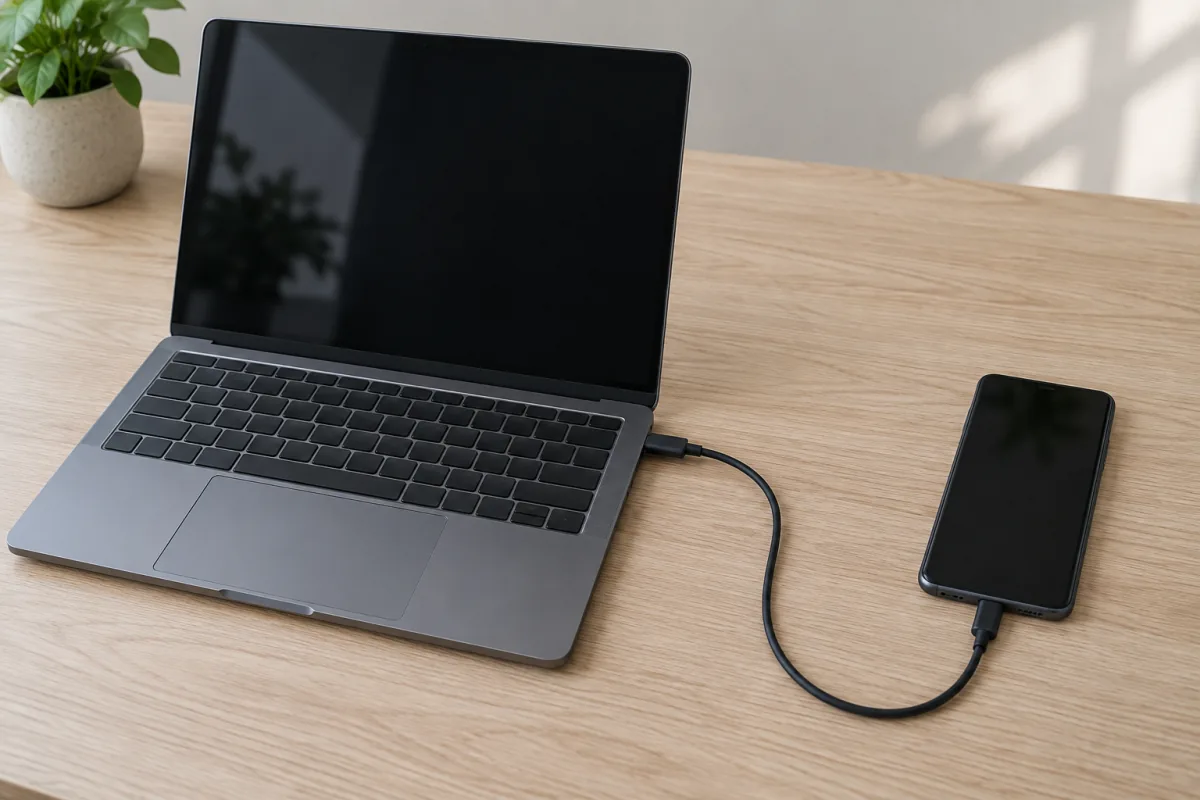
– Initial setup needs a computer and USB-C cable (~20 minutes)
– Some corporate MDM apps refuse to cooperate
– No eSIM support yet on GrapheneOS
**Day-to-day reality:** I used this as my only phone for six weeks. Signal, Proton Mail, Firefox, my bank, even Uber — all worked without a hitch. The only casualty was my company’s MDM-managed Outlook, which honestly felt like a bonus. You forget you’re on a “privacy phone” within a day. That’s the highest compliment I can give.
**Should you buy it?** Yes. For most people who want serious privacy, this is the answer. Buy a refurb Pixel 8 Pro, flash GrapheneOS using their web installer, and don’t look back.
—
### 2. Purism Librem 5 — The Idealist’s Choice
**Price:** $999 | **Rating: 7.0/10**
The Librem 5 is what happens when a privacy company builds a phone from scratch with zero ideological compromises. Three hardware kill switches (WiFi/BT, cellular modem, cameras/mic). A fully open-source software stack. A CPU that’s physically separated from the cellular modem. Made in the USA.
It’s also thick, sluggish, and has a relationship with battery life that I’d describe as “adversarial.”
**What’s great:**
– Three hardware kill switches — genuinely useful, not a gimmick
– Runs actual desktop Linux (PureOS, Debian-based)
– Convergence mode: plug into a monitor and it’s a desktop
– Fully open-source hardware schematics
– Removable battery and smart card reader
– No proprietary blobs in the main CPU pipeline
**What’s not:**
– $999 for hardware that felt mid-range in 2022
– Battery lasts 4-6 hours with real use. Carry a power bank. Always.
– The i.MX8M Quad processor makes web browsing feel like 2014
– App ecosystem is sparse — no Android app compatibility at all
– Camera quality is genuinely bad (I’ve gotten better photos from a 2017 Moto G)
I once tried to use the Librem 5 to order a pizza during a road trip. Twenty minutes of wrestling with the mobile browser later, I borrowed my friend’s iPhone and had a large pepperoni on the way in 45 seconds. The Librem 5 is a statement. Sometimes that statement is “I’m going hungry tonight.”
**Should you buy it?** Only if your threat model genuinely requires full Linux control and hardware kill switches, and you’re prepared for serious daily-driver compromises. For everyone else, GrapheneOS does more for your privacy with way less suffering.
—
### 3. PinePhone Pro — Best Budget Tinkerer’s Phone
**Price:** $399 | **Rating: 6.5/10**
Pine64 doesn’t promise you a polished product. They promise affordable, open hardware and let the community build the software. The PinePhone Pro is a hobbyist’s playground for under four hundred bucks.
You can flash Mobian, postmarketOS, Manjaro ARM, or a dozen other Linux distros. Six hardware kill switches (via DIP switches under the back cover) handle the camera, microphone, WiFi, Bluetooth, modem, and headphone jack. The Rockchip RK3399S won’t win speed contests, but it gets the job done — mostly.
**What’s great:**
– $399 makes experimentation affordable
– Six hardware kill switches
– Massive, active community
– Real Linux — you can SSH into your phone, run Docker, go wild
– Pogo pins for hardware add-ons (keyboard case, LoRa backpack)
– Removable battery, expandable storage via microSD
**What’s not:**
– Software is rough around the edges (expect bugs, workarounds, and occasional reboots)
– Camera is decorative at best
– Battery life runs 3-5 hours of screen-on time
– Call quality varies wildly by distro
– No Android app compatibility unless you wrestle with Waydroid (hit or miss)
> **Pro Tip:** Start with Mobian if you’re new to Linux phones. It’s the most stable and well-maintained distro for daily use right now. PostmarketOS is solid too, but demands more tinkering. Avoid Arch ARM unless you enjoy troubleshooting at 2 AM for fun.
**Should you buy it?** If you’re a developer or Linux enthusiast who wants a privacy-respecting phone to hack on — absolutely. If you need a phone that reliably makes calls and gets texts, look elsewhere. This is a hobby that happens to make phone calls.
—
### 4. Murena Fairphone 5 (/e/OS) — Best for Normal Humans
**Price:** €699 (~$760) | **Rating: 8.0/10**
Murena ships the Fairphone 5 with /e/OS pre-installed — a degoogled Android fork that works out of the box. No flashing. No terminal commands. No existential crisis. You turn it on and it works like a regular phone, minus the Google surveillance.
/e/OS replaces Google services with privacy-respecting alternatives: Murena Cloud for sync, App Lounge for app installation (pulls from F-Droid, a cleaned Play Store mirror, and PWAs), and an “Advanced Privacy” feature that blocks trackers, spoofs your location, and masks your IP.
**What’s great:**
– Degoogled out of the box. Literally just turn it on.
– /e/OS is genuinely user-friendly — your parents could use this
– App Lounge gives you access to most Android apps with privacy scores
– Fairphone 5 is modular: replace the screen, battery, camera yourself
– Ethical supply chain, conflict-free materials, 5-year support commitment
– MicroG handles push notifications and basic Google service compatibility
**What’s not:**
– €699 is a lot for the specs (Qualcomm QCM6490, 8GB RAM)
– /e/OS isn’t as hardened as GrapheneOS — different threat model
– Murena Cloud is convenient but you’re still trusting a third party
– US cellular band support is incomplete (check coverage before buying)
– No millimeter wave 5G
**Day-to-day reality:** My partner used this for three weeks and barely noticed it wasn’t a “normal” phone. Most apps just work. The privacy dashboard — which shows you exactly which apps tried to access trackers — is genuinely eye-opening. Watching your weather app try to phone 14 different ad networks is a special kind of horror.
**Should you buy it?** If you want privacy without the hobby, this is your best bet. It won’t satisfy security hardliners, but for regular people who just want Google out of their life, it’s excellent.
—
### 5. CalyxOS on Google Pixel — Best for Privacy Beginners
**Price:** ~$249 (Pixel 7a used) + Free OS | **Rating: 8.5/10**
CalyxOS is GrapheneOS’s friendlier cousin. It ships with microG (an open-source Google Play Services replacement), F-Droid, and Aurora Store pre-configured. The Calyx Institute — a nonprofit — maintains it with a focus on making privacy accessible to everyday people.
**What’s great:**
– MicroG integration means near-perfect app compatibility from day one
– Datura Firewall lets you control network access per-app with a clean UI
– SeedVault for encrypted backups (works with Nextcloud or USB)
– F-Droid and Aurora Store come preinstalled
– Monthly security patches, very active development
– Web installer makes setup painless
**What’s not:**
– Slightly less hardened than GrapheneOS (microG has broader permissions by design)
– Still Pixel-only
– Some Play Integrity-dependent apps won’t work
– Bootloader can’t be re-locked after installation (GrapheneOS does this; CalyxOS doesn’t)
– MicroG still pings Google servers for push notifications — purists won’t love this
**Skip this if:** You’re comfortable spending 20 extra minutes on setup. GrapheneOS with sandboxed Play Services is strictly better — more private *and* more compatible. CalyxOS is great, but it occupies a shrinking middle ground now that GrapheneOS has gotten so much easier.
**Should you buy it?** Solid entry point, especially on a budget. A used Pixel 7a plus CalyxOS gets you to 85% of GrapheneOS-level privacy for under $250. It’s what I recommend to friends who say “I want privacy but I don’t want to become a Linux person.”
—
### 6. Apple iPhone 16 (Privacy Settings Maxed) — Best “Normal” Option
**Price:** $799+ | **Rating: 7.8/10 (for privacy)**
Apple in a privacy phone roundup. I know. But let’s be practical: most people won’t flash a custom ROM. And Apple has made privacy a real selling point — App Tracking Transparency, on-device Siri processing, Mail Privacy Protection, Advanced Data Protection for iCloud, and Lockdown Mode.
Is it as private as GrapheneOS? No. Apple still controls everything and you’re trusting their word. But compared to stock Android with Google services? It’s a different universe.
**If you go the iPhone route, do this immediately:**
1. Enable Advanced Data Protection (Settings > Apple Account > iCloud)
2. Turn on Lockdown Mode if your threat model warrants it
3. Disable ad personalization completely
4. Review and deny all app tracking requests
5. Install a content blocker for Safari (1Blocker or AdGuard)
6. Switch DNS to NextDNS or Quad9
7. Turn off Significant Locations and location-based Apple Ads
8. Use Signal for anything sensitive — not iMessage
**What’s great:**
– It just works (that genuinely matters for sustained privacy habits)
– Best app ecosystem. No compatibility worries. Ever.
– Lockdown Mode is powerful for high-risk users
– Consistent, fast security updates for 6+ years
– Secure Enclave is well-audited
**What’s not:**
– Closed source — you can’t verify Apple’s claims yourself
– Apple still collects telemetry (less than Google, but it’s not zero)
– No hardware kill switches
– You can’t audit what iOS actually does under the hood
– Lockdown Mode breaks some website functionality
**Should you buy it?** If you need a phone that works perfectly and want strong — not perfect — privacy, a locked-down iPhone is the realistic choice. It’s what I’d recommend to my mom.
—
## Full Comparison Table
| Feature | Pixel 8 Pro + GrapheneOS | Purism Librem 5 | PinePhone Pro | Murena Fairphone 5 | CalyxOS Pixel | iPhone 16 |
|———|————————|—————–|—————|——————–|————–|———–|
| **Price** | ~$449 | $999 | $399 | ~$760 | ~$249 | $799+ |
| **OS Base** | Hardened Android | Linux (PureOS) | Linux (various) | Degoogled Android | Degoogled Android | iOS |
| **Kill Switches** | No | Yes (3) | Yes (6) | No | No | No |
| **App Compatibility** | Excellent | Poor | Poor | Good | Very Good | Perfect |
| **Battery Life** | 8-10 hrs SOT | 4-6 hrs SOT | 3-5 hrs SOT | 7-9 hrs SOT | 7-9 hrs SOT | 10-12 hrs SOT |
| **Camera Quality** | Excellent | Poor | Poor | Good | Excellent | Excellent |
| **Security Updates** | Monthly+ | Irregular | Community | Monthly | Monthly | Regular |
| **Open Source** | Yes | Full (HW+SW) | Full (HW+SW) | Mostly | Yes | No |
| **Daily Driver Ready** | Yes | Barely | No | Yes | Yes | Yes |
| **Setup Difficulty** | Moderate | Easy (preloaded) | Hard | Easy (preloaded) | Moderate | Easy |
| **Our Rating** | 9.2/10 | 7.0/10 | 6.5/10 | 8.0/10 | 8.5/10 | 7.8/10 |
—
## Products I Can’t Recommend
**Bittium Tough Mobile 2C:** Was interesting — military-grade encrypted Android phone from Finland. But the company’s mobile division has gone quiet, updates have dried up, and it’s nearly impossible to buy. Don’t spend $1,500+ on abandoned hardware.
**”Privacy phones” from random Amazon/Alibaba sellers:** I’ve seen at least five of these pop up in social media ads. “Military-grade encrypted privacy phones” for $200. They’re rebranded Chinese Android devices with a VPN preinstalled and a custom launcher. Some have been caught with pre-installed spyware. The irony writes itself. Hard pass.
**CopperheadOS:** This project had a messy, public split from its co-founder (who went on to create GrapheneOS). The current state of CopperheadOS is unclear, updates are sparse, and the drama alone is a red flag. Just use GrapheneOS.
**Freedom Phone:** Political branding slapped on a cheap MediaTek device with a sketchy app store. Not a privacy phone. Not a good phone. Not worth discussing further.
**Older Librem 5 units from resellers:** Purism’s shipping history has been… rocky. If you buy secondhand, make absolutely sure you’re getting a recent production run. Early units had real hardware issues.
—
## Frequently Asked Questions
### Can a privacy phone still be tracked by cell towers?
Yes. Any phone connected to a cellular network can be located through tower triangulation. Hardware kill switches for the cellular modem help — but then you’ve got a WiFi-only tablet, not a phone. For real location privacy, you’d need the modem off entirely and use WiFi through a VPN, which defeats the purpose of a phone for most people. Privacy phones protect you from *mass* surveillance and corporate data harvesting, not from a determined government with a court order.
### Is GrapheneOS hard to install?
Nope. Not anymore. GrapheneOS has a web-based installer that walks you through every step. You need a computer, a USB-C cable, and a supported Pixel. Takes about 20 minutes. If you’ve ever flashed a WiFi router or followed a YouTube tutorial to build a PC, you can handle this. Their documentation is legitimately excellent.
### Will my banking apps work on a degoogled phone?
On GrapheneOS with sandboxed Play Services: most likely yes. Chase, Bank of America, Revolut, and most major banks work fine. On CalyxOS with microG: usually yes, but some banks have gotten more aggressive with Play Integrity checks. On Linux phones (Librem 5, PinePhone): absolutely not. Check the compatibility databases on r/GrapheneOS and r/CalyxOS before switching.
### How do privacy phones handle messaging apps?
Signal works perfectly on GrapheneOS and CalyxOS. WhatsApp works through sandboxed Play Services. Telegram works everywhere. On Linux phones, you’re mostly limited to Matrix/Element, regular SMS, and whatever browser-based options you can get running. If messaging matters to your daily life (it does), stick with Android-based privacy ROMs.
### Are privacy phones legal?
Completely legal in virtually every democracy. Using a degoogled phone, encrypted messaging, and a VPN is your right. Some authoritarian governments restrict encryption tools, so check local regulations if you’re traveling internationally. The phone itself is never illegal — it’s just a phone running different software.
### Should I buy a dedicated privacy phone or degoogle my current one?
If you already own a supported Pixel, just install GrapheneOS or CalyxOS on it. No reason to buy new hardware. If you don’t have a Pixel, a used Pixel 7a (~$200-250) or Pixel 8a (~$300) is the cheapest path to genuine mobile privacy. Don’t overthink the hardware — the OS does the heavy lifting.
> **Pro Tip:** Keep your old phone around for the first two weeks after switching. Every time you reach for an app, test it on your new privacy phone first. You’ll quickly find the gaps — and most of them will have surprisingly good alternatives on F-Droid.
—
## The Bottom Line
The best privacy phone in 2026 is a **Google Pixel 8 Pro running GrapheneOS**. It isn’t close. You get real, audited security hardening, excellent app compatibility, a genuinely good camera, and all-day battery life. The only thing you sacrifice is Google’s ecosystem — which is the whole point.
If that sounds too technical, the **Murena Fairphone 5** delivers degoogled privacy out of the box. If you’re on a budget, a **used Pixel 7a with CalyxOS** gets you 85% of the way for under $250.
Linux phones like the **Librem 5** and **PinePhone Pro** are important for the ecosystem and cool in a “I’m running Debian on my phone” way. But they’re not daily drivers for most humans. Not yet.
And if none of this appeals to you? An **iPhone 16 with Lockdown Mode** and tightened settings is genuinely miles ahead of stock Android. It’s the realistic option for people who won’t flash a ROM.
Whatever you pick, remember: **the best privacy phone is the one you’ll actually use every day.** A Librem 5 collecting dust in a drawer isn’t protecting anyone’s privacy.
—
*Disclaimer: Gadget Guide Daily may earn a commission from affiliate links in this article. This doesn’t influence our editorial independence — we recommend products based on hands-on testing and research, not commission rates. Prices were accurate as of April 2026 and may change. All devices were purchased or sourced independently. Privacy and security advice in this article is general guidance, not legal or professional security counsel for high-risk situations. Consult a security professional if your threat model involves state-level adversaries.*