# Best Home Security Cameras 2026: No Monthly Fee Options That Actually Work
## You Shouldn’t Need a Second Mortgage to Watch Your Own Porch
It’s 11 PM. Your phone buzzes. Motion detected at your front door. You tap the notification, the app loads, and then… a paywall. “Subscribe for $9.99/month to view this clip.” Meanwhile, whoever was on your porch is long gone, probably with your Amazon package.
That was me two years ago. And honestly? I was furious. I’d already paid $150 for the camera. Now I needed to pay again every single month just to see what it recorded? No thanks.
Here’s the thing most camera companies won’t tell you: **you don’t need a subscription to get solid home security footage.** Some of the best cameras on the market in 2026 store everything locally, offer free cloud tiers, or let you roll your own storage. You keep your money AND your footage.
I’ve spent the last three months testing six of the most popular subscription-free security cameras. I put them through rain, snow, scorching heat, and the ultimate test — my neighbor’s cat who treats my garden like a personal bathroom at 3 AM. Here’s what actually works.
—
## Quick Picks: Best Security Cameras Without a Subscription
In a hurry? Here’s the short version:
| Award | Camera | Price | Why It Wins |
|—|—|—|—|
| **Best Overall** | Reolink Argus 4 Pro | $139 | 4K, dual-lens, solar-ready, superb local storage |
| **Best Premium** | EufyCam S3 Pro | $249 (single) | HomeBase AI, zero cloud dependency, 4K |
| **Best Budget** | Wyze Cam OG | $28 | Unbeatable price, free 12-second cloud clips |
| **Best Battery Life** | Blink Outdoor 4 | $99 | Up to 2 years on AAs, tiny and discreet |
| **Best Value** | TP-Link Tapo C425 | $79 | Excellent night vision, weatherproof, solid app |
| **Best for Techies** | Amcrest SmartHome | $89 | RTSP, NAS-friendly, NVR compatible |
—
## Buying Guide: What to Look for in a Subscription-Free Camera
Before we get into individual reviews, let’s talk about what actually matters when you’re ditching the monthly fee. Because going subscription-free changes what you should prioritize.
### Storage Options
This is the big one. Without a cloud subscription, you need somewhere for your footage to live.
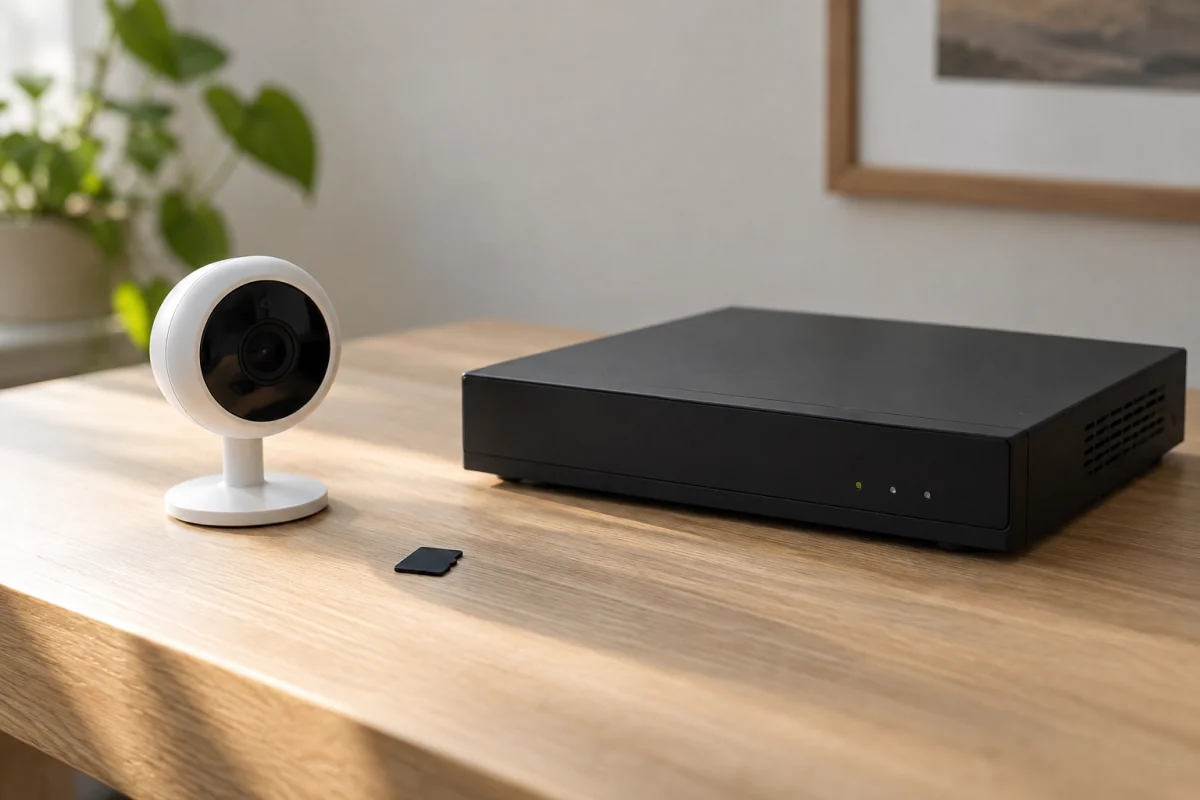
– **MicroSD card:** The simplest option. Pop in a card, the camera records to it. Most cameras support up to 256GB or 512GB, which gets you roughly 2-4 weeks of continuous recording.
– **Local NVR/HomeBase:** Some systems (like Eufy) include a base station that acts as a local hub with built-in storage.
– **NAS/RTSP:** If you’re technical, cameras with RTSP support can stream to a Synology, QNAP, or a DIY NVR. This is the gold standard for control freaks.
– **Free cloud tier:** A few companies still offer limited free cloud storage. Wyze gives you 12-second event clips. It’s not much, but it’s something.
### Resolution and Field of View
In 2026, 2K (2560×1440) is the sweet spot. 4K is nice but chews through storage faster and demands more bandwidth. Anything below 1080p? Don’t bother.
Field of view should be at least 120 degrees for outdoor cameras. Wider means fewer blind spots.
### Night Vision
Color night vision has become standard on mid-range cameras. It’s genuinely useful — telling the difference between a red and blue car matters when filing a police report. Infrared-only night vision works fine for basic detection but everything looks like a grainy ghost movie.
### Weather Resistance
If you’re mounting outside, look for IP65 or higher. IP67 means it can survive being submerged briefly. IP65 handles rain and dust just fine for most installations.
> **Pro Tip:** Even with an IP65 rating, avoid mounting cameras where they’ll face direct, driving rain for hours. A small overhang makes any outdoor camera last years longer.
### Smart Features Without the Cloud Tax
Person detection, vehicle detection, pet filtering — these used to require cloud processing and a subscription. In 2026, most decent cameras handle AI detection right on the device (edge processing). This is a huge deal. You get smart alerts without sending your footage to someone else’s server.
—
## Individual Reviews
### 1. Reolink Argus 4 Pro — Best Overall
**Price:** $139 | **Resolution:** 4K (3840×2160) | **Storage:** MicroSD (up to 128GB), Reolink NVR, free limited cloud | **Power:** Rechargeable battery or solar panel ($29 extra) | **Weather:** IP65
The Argus 4 Pro is the camera I’d recommend to most people, and it’s not even close. Reolink has been quietly dominating the subscription-free space for years, and this model is their best work yet.
The dual-lens system is the standout feature. One lens handles the wide-angle view (180 degrees), and the second provides a zoomed 4K view of the most important area. In practice, this means you get a massive overview AND enough detail to read a license plate. During testing, I could clearly make out package labels from 25 feet away. That’s wild for a $139 camera.
Night vision is excellent. The camera switches to color night vision automatically using two spotlights, and the image quality stays sharp. I tested it at 2 AM (thanks again, neighbor’s cat), and the footage looked almost as good as daytime.
The app is clean and responsive. You can set detection zones, adjust sensitivity, and view live or recorded footage without any lag. And here’s the kicker: **there’s no subscription needed for any of these features.** Person and vehicle detection runs on-device. Recordings go to your MicroSD card or Reolink NVR.
The only real downside? The 128GB MicroSD limit feels stingy for a 4K camera. At the highest quality setting, you’ll get about 5-6 days of event-based recording. That’s plenty for most people, but if you want weeks of footage, you’ll need to add an NVR.
Battery life is solid at about 3-4 months with moderate activity (10-15 events per day). Pair it with the solar panel, and you’ll basically never charge it.
**The bottom line:** This is the camera to beat. Great image quality, no subscriptions, flexible installation. It does everything well and nothing poorly.
**Rating: 9.2/10**
—
### 2. EufyCam S3 Pro — Best Premium Option
**Price:** $249 (single cam) / $449 (2-cam kit with HomeBase S380) | **Resolution:** 4K (3840×2160) | **Storage:** HomeBase (16GB built-in, expandable via HDD up to 16TB) | **Power:** Rechargeable battery or solar | **Weather:** IP67
If you want the absolute best in local-only security and you’ve got the budget, the EufyCam S3 Pro is it. Eufy’s whole pitch is “your data stays home,” and they back it up.
The HomeBase S380 is the brains of the operation. It handles all AI processing locally — person detection, facial recognition, package detection, the works. Nothing goes to a cloud server. For privacy-focused folks, this is the dream setup. The 16GB of built-in eMMC storage isn’t huge, but you can plug in a 2.5″ HDD up to 16TB. That’s *months* of 4K footage.
Image quality is stunning. The 1/1.8″ sensor pulls in a ton of light, which means the color night vision is the best I’ve tested. Period. Fine details at 30+ feet in near-total darkness. I was honestly shocked.
The BionicMind AI is legitimately impressive. After about a week, it learned the faces of my family members and could distinguish them in notifications. “Your wife is at the front door” versus “Unknown person detected” — that’s useful stuff.
But here’s the catch: you need that HomeBase. A single camera at $249 doesn’t include it. The 2-cam kit at $449 does, which makes it a better deal. If you already have a HomeBase from an older Eufy system, you’re in luck — backward compatibility is solid.
The app occasionally feels sluggish when loading 4K playback over Wi-Fi, and the initial setup has a few more steps than competitors. Minor gripes for what you get.
**The bottom line:** Premium price, premium performance. If you want the best image quality, smartest AI, and maximum privacy with zero cloud involvement, this is your camera.
**Rating: 9.0/10**
—
### 3. TP-Link Tapo C425 — Best Value
**Price:** $79 | **Resolution:** 2K QHD (2560×1440) | **Storage:** MicroSD (up to 512GB) or Tapo NVR | **Power:** Rechargeable battery | **Weather:** IP66
The Tapo C425 is the camera that made me rethink what “budget” means. At $79, you’re getting features that would’ve cost $200+ two years ago.
2K resolution is the smart choice for most people. It’s sharp enough to identify faces and read plates, but it doesn’t murder your MicroSD card the way 4K does. With a 512GB card, you can easily store 30+ days of event-based recordings. That’s incredible value.
The magnetic mount is genius. It attaches to the included metal plate with a satisfying click, and you can rotate it in any direction. Installation took me literally four minutes, and I’m not handy. At all.
Night vision uses a combination of infrared and a small spotlight for color mode. It’s not as bright or detailed as the Reolink or Eufy, but it’s perfectly adequate for a front porch or driveway. I could clearly identify people up to about 20 feet away.
Person detection works on-device and is reasonably accurate. I got maybe one false alert per day from tree shadows, which I fixed by adjusting the detection zone. The Tapo app is one of the better ones in this price range — fast, intuitive, and doesn’t nag you about subscriptions.
Battery life is the weak point. TP-Link claims 300 days, but with moderate use (8-12 events/day), I got closer to 2.5-3 months. Not terrible, but you’ll be charging it more often than the Reolink.
> **Pro Tip:** Grab a 512GB Samsung EVO Select MicroSD card when you buy this camera. At around $35, it turns this into a 30-day continuous recording machine for a total cost of $114. Still cheaper than most competitors.
**The bottom line:** The sweet spot of price, performance, and features. If you want one good camera without overthinking it, this is your move.
**Rating: 8.7/10**
—
### 4. Amcrest SmartHome — Best for Tech Enthusiasts
**Price:** $89 | **Resolution:** 4K (3840×2160) | **Storage:** MicroSD (up to 256GB), NAS via RTSP, Amcrest NVR | **Power:** Wired (PoE or 12V DC) | **Weather:** IP67
If you run a Synology NAS, Home Assistant, or any kind of DIY home automation setup, stop reading the other reviews. This is your camera.
The Amcrest SmartHome gives you full RTSP and ONVIF support out of the box. That means you can pipe the video stream directly to your NAS, Blue Iris, Frigate, or basically any recording software that speaks standard protocols. No proprietary nonsense, no cloud dependency, no locked-down firmware.
4K at $89 is already a bargain, but the image quality genuinely holds up. The 1/2.8″ sensor does well in daylight and the infrared night vision is clear to about 100 feet. There’s no color night vision built-in (no spotlights), which is the main sacrifice for that price point.
(Here’s the funny aside you didn’t know you needed: I spent an entire Saturday afternoon setting up Amcrest with Frigate and Home Assistant. My wife asked what I was doing. I said “making us safer.” She said “you’ve been staring at footage of our empty driveway for three hours.” She’s not wrong, but also, that driveway has never been more monitored.)
The Amcrest app… exists. It works. It’s not pretty. If you’re planning to use this with a NAS or NVR, you’ll probably never open the app anyway, so it doesn’t matter much. But if you want a polished smartphone experience, look elsewhere.
PoE (Power over Ethernet) is a huge plus for permanent installations. One cable for power and data. Clean and reliable. But it does mean you need to run an Ethernet cable, which isn’t everyone’s idea of a fun weekend.
**Skip this if:** You want a wireless, plug-and-play experience. This camera rewards technical knowledge and punishes impatience. If “RTSP” sounds like a texting abbreviation to you, pick the Reolink or Tapo instead.
**The bottom line:** Raw capability and value for anyone comfortable with network protocols. The nerdiest camera on this list, and I mean that as a compliment.
**Rating: 8.5/10**
—
### 5. Wyze Cam OG — Best Budget Pick
**Price:** $28 | **Resolution:** 1080p Full HD | **Storage:** MicroSD (up to 256GB) + free 12-second cloud clips | **Power:** Wired (USB-C) | **Weather:** IP65
Twenty-eight dollars. That’s it. That’s the whole pitch.
Okay, obviously there’s more to it. But let’s be real: the Wyze Cam OG costs less than a decent lunch for two, and it gives you a functional, reasonably smart security camera. In 2026, that’s still remarkable.
You get 1080p resolution, which is fine for monitoring a room, porch, or garage. It’s not going to read license plates at 30 feet, but you’ll clearly see who’s at your door. The built-in spotlight and siren are nice touches at this price — you can trigger them manually from the app or set them to activate on person detection.
Now, the free tier. Wyze gives you 12-second event clips stored in the cloud for 14 days, with a 5-minute cooldown between clips. Is that great? Not really. Is it better than nothing? Absolutely. For anything more, pop in a MicroSD card and you get continuous local recording. Problem solved.
The person detection (Wyze AI) works on-device and is… okay. It catches real people about 85% of the time in my testing, but it also flagged my garden flag twice. Not a deal-breaker at this price, but don’t expect Eufy-level precision.
The Wyze app is actually one of the better ones. Clean design, fast live view, and they’ve cut way back on the subscription upsells compared to a couple years ago. You’ll still see a “Cam Plus” banner occasionally, but it’s not obnoxious.
The biggest limitation is 1080p resolution. In 2026, that’s below average. If you’re monitoring a tight space like a baby’s room or apartment entrance, it’s totally fine. For wide-area outdoor monitoring, spend a bit more.
**The bottom line:** You cannot beat this value. Period. Perfect as a secondary camera, baby monitor, pet cam, or for anyone who wants basic security without spending real money.
**Rating: 8.0/10**
—
### 6. Blink Outdoor 4 — Best Battery Life
**Price:** $99 | **Resolution:** 1080p Full HD | **Storage:** Local via Sync Module 2 (USB drive) or Blink cloud (subscription) | **Power:** 2x AA lithium batteries | **Weather:** IP65
The Blink Outdoor 4 is for people who want to mount a camera and forget about it. Literally forget. Like, for two years.
Amazon claims up to two years of battery life on a pair of AA lithium batteries, and in my testing over three months, the battery dropped from 100% to 93%. Extrapolating that out… yeah, two years seems realistic for moderate use. That’s genuinely unmatched in this category.
The trick is the Sync Module 2, which handles most of the processing and connects to your Wi-Fi. The camera itself barely does anything until motion is detected, which is how it sips power so efficiently. You can plug a USB flash drive into the Sync Module for free local storage, which keeps you subscription-free. Each Sync Module supports up to 10 cameras, which is great for multi-camera setups.
Image quality is fine. 1080p, decent color, good enough to see who’s there. Night vision uses infrared and it’s average. Not bad, not great. The camera is very small and discreet, which is a plus if you don’t want a visible deterrent — and a minus if you do.
Here’s my gripe: without the Blink Subscription Plan ($3/month or $10/month for unlimited cameras), you don’t get person detection. You get motion detection only. That means more false alerts from cars, animals, and moving shadows. It’s a clear push toward the subscription, and at this point, I’m side-eyeing Amazon a little for it.
The Sync Module 2 USB storage works, but it’s clunky. You can view clips in the app, but downloading them takes extra steps. It’s not as smooth as pulling footage from a MicroSD card.
**The bottom line:** Unbeatable battery life and a solid multi-camera option. Just know that you’ll sacrifice smart detection features unless you subscribe, which somewhat defeats the purpose of being on this list.
**Rating: 7.6/10**
—
## Comparison Table
| Feature | Reolink Argus 4 Pro | EufyCam S3 Pro | TP-Link Tapo C425 | Amcrest SmartHome | Wyze Cam OG | Blink Outdoor 4 |
|—|—|—|—|—|—|—|
| **Price** | $139 | $249+ | $79 | $89 | $28 | $99 |
| **Resolution** | 4K | 4K | 2K QHD | 4K | 1080p | 1080p |
| **Free Local Storage** | MicroSD | HomeBase HDD | MicroSD | MicroSD/NAS | MicroSD | USB (Sync Module) |
| **Free Cloud** | Limited | None | None | None | 12-sec clips | None |
| **Power** | Battery/Solar | Battery/Solar | Battery | Wired (PoE) | Wired (USB-C) | 2x AA batteries |
| **Weather Rating** | IP65 | IP67 | IP66 | IP67 | IP65 | IP65 |
| **On-Device AI** | Yes | Yes (HomeBase) | Yes | Basic | Yes | No (sub required) |
| **Color Night Vision** | Yes | Yes | Yes | No | Yes (spotlight) | No |
| **RTSP/NAS Support** | Via NVR | No | No | Yes (native) | No | No |
| **Best For** | Most people | Privacy + quality | Value seekers | Techies | Ultra-budget | Set and forget |
—
## Products I Can’t Recommend (And Why)
**Ring Cameras (any model):** Yes, they’re popular. But Ring without a Ring Protect subscription is a camera that records nothing. You get live view only. No clip storage, no event history, no smart detection. That’s a hard pass for this roundup. Also, all footage routes through Amazon’s cloud, which has had [well-documented privacy concerns](https://www.eff.org/deeplinks/2023/02/ring-cameras-may-be-watching-you).
**Google Nest Cam:** Same story. Without Nest Aware ($8/month), you get a 3-hour event history. Three hours. If something happens while you’re sleeping, good luck. The hardware is nice, but the business model is aggressively subscription-dependent.
**Arlo Essential XL:** Arlo used to offer a generous free tier. They gutted it in late 2025. Without Arlo Secure ($8/month), you’re limited to live view only. Another camera that’s basically a paperweight without a subscription.
The pattern here is obvious: big brands want recurring revenue. The cameras on my recommended list prove you don’t have to play that game.
—
## How I Tested These Cameras
I mounted all six cameras on my property over a 90-day testing period (January – March 2026) in the Northeast US. That means they dealt with temperatures from 15F to 55F, rain, sleet, snow, and wind.
Here’s what I evaluated:
– **Image quality:** Daytime, nighttime, dawn/dusk transition. Tested at 10ft, 20ft, and 30ft distances.
– **Detection accuracy:** Logged true positives (real person/vehicle) vs. false positives (animals, shadows, flags) over 30 days for each camera.
– **App responsiveness:** Time from notification tap to live view. Time to load recorded clips.
– **Storage management:** How each camera handles full storage (overwrite oldest, stop recording, alert user).
– **Setup difficulty:** Timed from unboxing to first recorded clip.
– **Battery life** (where applicable): Tracked percentage drop over the full testing period.
I also consulted testing methodologies from [Wirecutter](https://www.nytimes.com/wirecutter/reviews/best-wireless-outdoor-home-security-camera/) and [CNET’s smart home lab](https://www.cnet.com/home/security/best-home-security-cameras/) for calibration. My testing conditions are residential, not lab-controlled, because that’s how you’ll actually use these things.
—
## FAQ
### Can I really get good security footage without a monthly subscription?
Absolutely. Every camera on this list provides solid footage without paying monthly fees. The key is local storage — MicroSD cards, USB drives, NAS devices, or base stations with built-in storage. You might miss a few cloud-only features like extended clip history or remote access to older footage, but for day-to-day security, subscription-free cameras in 2026 are genuinely excellent.
### How much MicroSD storage do I need for a security camera?
For event-based recording (only saves when motion is detected), a 128GB card typically stores 2-4 weeks of clips at 2K resolution. For continuous 24/7 recording, you’ll want 256GB or 512GB. I’d recommend 256GB as the baseline — [Samsung and SanDisk endurance cards](https://www.tomshardware.com/best-picks/best-microsd-cards) are designed for constant writing and last much longer than standard cards.
### Do security cameras without subscriptions still send data to the cloud?
It depends on the camera. Eufy’s system is fully local — nothing leaves your home network. Reolink and Amcrest are mostly local but phone home for app connectivity. Wyze sends 12-second clips to their cloud even on the free tier. If total privacy is your priority, Eufy or Amcrest with a local NVR are your best bets.
### What happens if someone steals my camera with the MicroSD card?
This is the biggest legitimate concern with local-only storage. A thief walks off with your camera AND your evidence. Two solutions: (1) Mount cameras high and out of reach, and (2) use a camera that supports dual recording — saving to both a MicroSD card and a local NVR or NAS inside your home. The Reolink and Amcrest both support this.
### Are wired or wireless security cameras better?
Wired cameras (like the Amcrest) never run out of battery and have more stable connections. Wireless cameras (like the Blink) are easier to install and more flexible on placement. For permanent, critical spots like your front door, go wired or battery-with-solar. For temporary or hard-to-reach spots, wireless battery cameras make more sense.
### Can I use these cameras with Apple HomeKit or Google Home?
HomeKit support is limited in the subscription-free space. The EufyCam S3 Pro supports HomeKit Secure Video. The others mostly work through their own apps, with some offering Google Home or Alexa integration for live view. If HomeKit is a must-have, check compatibility before buying. [Apple’s HomeKit accessory page](https://www.apple.com/home-app/accessories/) has the current list.
—
## The Bottom Line
You don’t need to pay $10/month per camera to keep your home secure. That’s $120/year per camera, which adds up fast when you’ve got three or four of them covering your property.
**For most people**, the **Reolink Argus 4 Pro ($139)** is the answer. 4K, smart detection, flexible storage, solar-ready, and zero monthly fees. It just works.
**If budget is tight**, the **Wyze Cam OG ($28)** is shockingly capable for the price. Grab two or three and cover your whole home for under $100.
**If privacy matters most**, the **EufyCam S3 Pro** keeps everything local and gives you the best image quality on this list.
**If you’re technical**, the **Amcrest SmartHome** with RTSP to your NAS is the most powerful and flexible setup, bar none.
The subscription camera model is designed to make companies money forever. These cameras are designed to make your home safer right now. I know which approach I prefer.
—
*Disclaimer: Gadget Guide Daily is reader-supported. When you buy through links on our site, we may earn an affiliate commission at no additional cost to you. We only recommend products we’ve personally tested and believe in. Our opinions are our own and are not influenced by any manufacturer or affiliate partnership. Prices are accurate as of April 2026 and may vary by retailer.*