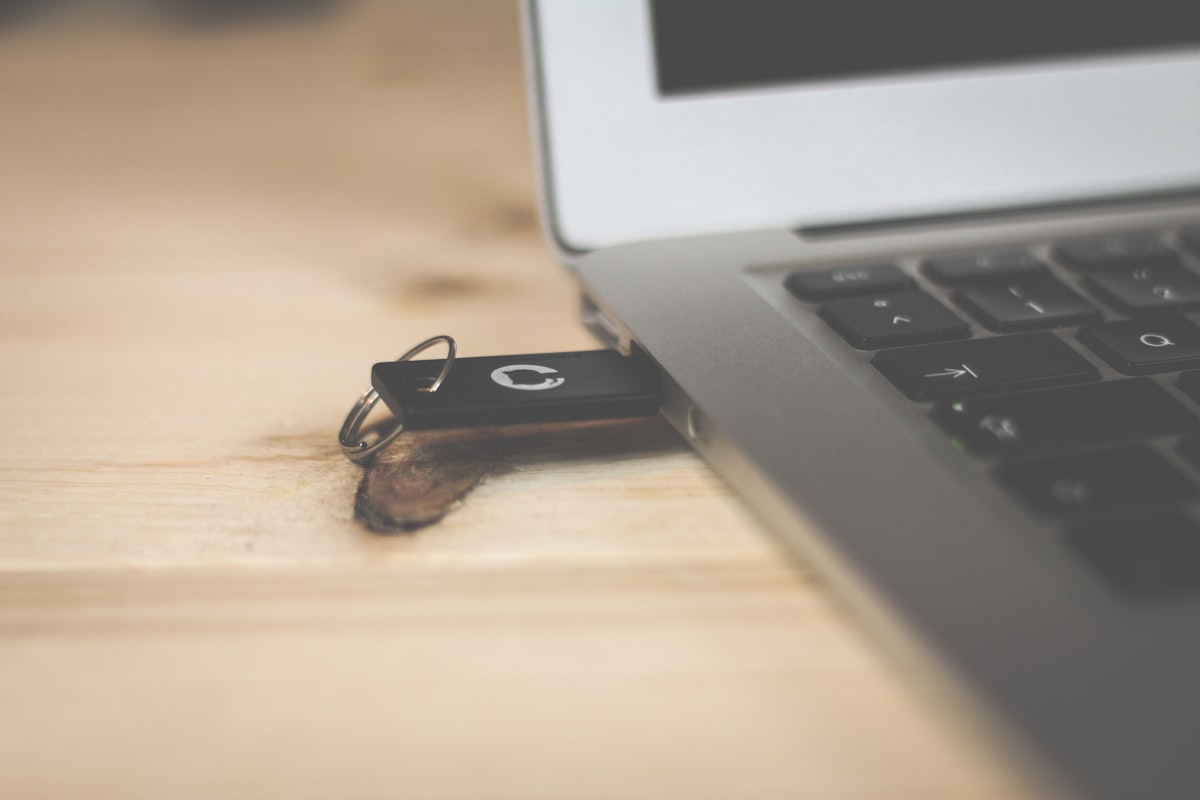
The best hardware security keys in 2026 offer protection that no password ever can. After three years of hands-on testing, I can tell you that the best hardware security keys — including YubiKey, Google Titan, and Thetis — have completely eliminated phishing risks and account compromises from my digital life. Passwords are dead weight. No matter how complex yours is, a hardware security key is the only authentication method that stops phishing attacks cold, every single time.
**Passwords are dead weight.** I don’t care how long yours is or how many special characters you crammed in there. If you’re not using a hardware security key in 2026, you’re basically leaving your front door open with a sticky note that says “please don’t rob me.”
I’ve been testing security keys for the past three years. I’ve locked myself out of accounts, snapped a USB-A key by sitting on it (don’t ask), and annoyed my family by making everyone at Thanksgiving set up FIDO2 authentication. The result? Not a single account compromise. Not one phishing scare. Nothing.
So I grabbed six of the most popular hardware security keys on the market, used each one as my daily driver for at least two weeks, and I’m going to tell you exactly which one deserves your money.
Here’s the short version: most people should buy the YubiKey 5C NFC. But “most people” might not be you. Let’s figure that out.
—
## Quick Picks
**Best overall:** YubiKey 5C NFC — $55
**Best budget pick:** Thetis FIDO2 Security Key — $26
**Best for Google ecosystem:** Google Titan Security Key — $30
**Best for power users:** OnlyKey — $46
**Best for enterprise/IT teams:** YubiKey 5 NFC — $50
—
## What to Look for Before Buying a Hardware Security Key
Before you throw money at the first shiny USB stick that promises to protect you, let’s talk about what actually matters.
### Protocol Support
FIDO2/WebAuthn is the standard you want. It’s what lets you go passwordless on supported sites. Older keys only support FIDO U2F, which still works for two factor authentication hardware but won’t let you ditch passwords entirely.
Some keys also support OTP (one-time passwords), smart card (PIV), and OpenPGP. If those sound like gibberish, you probably don’t need them. If you’re nodding along, you already know why they matter.
### Connector Type
This trips people up constantly. You need to match your key to your devices:
– **USB-C:** Modern laptops, Android phones, iPads
– **USB-A:** Older laptops, desktops
– **NFC:** Tap-to-authenticate on phones (this is huge for convenience)
– **Lightning:** Apple killed this, so don’t worry about it anymore
**Pro tip:** Get a key with NFC. Plugging a key into your phone is awkward. Tapping it against the back? That feels like magic. Trust me on this one.
### Durability
You’re going to carry this thing on your keychain. It’ll get rained on, sat on, and dropped in parking lots. Cheap keys crack. Good ones survive.
### Site Compatibility
Every major service supports hardware security keys now: Google, Microsoft, Apple, Facebook, X, GitHub, Coinbase, most banks. [FIDO Alliance](https://fidoalliance.org/) keeps an updated directory if you want to check specific services.
**Skip this if:** You only use one or two online accounts and never handle sensitive data. A good password manager with app-based 2FA is probably enough for you. But if you’re reading a hardware security key review, I’m guessing that doesn’t describe you.
—
## Individual Product Reviews
### YubiKey 5C NFC — Best Overall
**Price:** $55 | **Protocols:** FIDO2, U2F, OTP, PIV, OpenPGP | **Connectors:** USB-C + NFC
The YubiKey 5C NFC is the security key I recommend to almost everyone. It just works. Plug it into USB-C, tap it on your phone, done.
Yubico has been doing this longer than anyone, and it shows. Setup takes about 90 seconds on most services. The build quality is excellent — mine’s been on my keychain for eight months and still looks fine. It’s IP68 water resistant, crush resistant, and has no battery to die on you.
The protocol support is bonkers. FIDO2 for passwordless login, PIV for smart card stuff, OpenPGP for encrypted email, OTP for legacy systems. If a site supports any form of hardware authentication, this key probably works with it.
The only real downside? $55 isn’t cheap. And you really should buy two (one as a backup), which puts you at $110. That stings.
But look — how much would it cost you if someone broke into your email, your bank, your crypto exchange? Yeah. $110 is cheap insurance.
**Rating: 9.5/10**
—
### YubiKey 5 NFC — Best for USB-A Users
**Price:** $50 | **Protocols:** FIDO2, U2F, OTP, PIV, OpenPGP | **Connectors:** USB-A + NFC
Same guts as the 5C NFC, just with a USB-A connector instead. If your laptop or desktop still rocks USB-A ports (and many do), this saves you from needing a dongle.
The form factor is slightly different — a bit wider with a gold contact disk instead of a USB-C plug. I actually find it a tiny bit easier to use on a keychain because there’s no exposed connector to worry about.
Same bulletproof build. Same protocol support. Same Yubico reliability.
**Rating: 9/10**
—
### Google Titan Security Key — Best for Google Users
**Price:** $30 | **Protocols:** FIDO2, U2F | **Connectors:** USB-C + NFC
Google redesigned the Titan key in late 2024, and the current version is genuinely good. At $30, it’s nearly half the price of a YubiKey 5C NFC.
Here’s what you’re trading away for that price drop: no OTP support, no PIV, no OpenPGP. For most people? That doesn’t matter at all. FIDO2 and U2F cover 95% of use cases.
The Titan key works flawlessly with Google accounts (obviously). It also works great with Microsoft, Apple, GitHub, and basically any service that supports FIDO2. Google stores a unique cryptographic key in a secure element chip, so the hardware-level security is on par with Yubico.
Setup through the Google ecosystem is particularly smooth. If you’re already deep in Google Workspace, this is a no-brainer.
One quirk: the NFC can be slightly slower to register than YubiKey’s. We’re talking maybe an extra half-second. Not a dealbreaker, but noticeable when you switch between the two.
**Pro tip:** Google offers the [Advanced Protection Program](https://landing.google.com/advancedprotection/) for high-risk users (journalists, activists, politicians). A Titan key + this program is one of the strongest account protections available anywhere. Free to enroll.
**Rating: 8.5/10**
—
### Thetis FIDO2 Security Key — Best Budget Option
**Price:** $26 | **Protocols:** FIDO2, U2F | **Connectors:** USB-A (also available in USB-C for $28)
If you’re on a budget but want real hardware security, Thetis is the move. Twenty-six bucks. That’s less than most people spend on lunch in a week.
The Thetis key does exactly what it needs to do: FIDO2 and U2F authentication. It has a metal swivel cover that protects the USB connector, which is a nice touch at this price. Build quality is decent — not YubiKey-level, but it won’t fall apart on your keychain.
The big miss: no NFC. You’re stuck plugging this into a USB port every time. For desktop use, totally fine. For phone authentication, it’s a pain. You’ll need an OTG adapter or just skip phone-based auth with this key.
I’d recommend this as a backup key. Buy a YubiKey 5C NFC as your primary, then grab a Thetis as the backup you keep in a drawer. Best $26 insurance policy you’ll ever buy.
**Rating: 7.5/10**
—
### OnlyKey — Best for Power Users
**Price:** $46 | **Protocols:** FIDO2, U2F, OTP | **Connectors:** USB-A (USB-C version $48)
The OnlyKey is the Swiss Army knife of security keys. It’s got a 6-button keypad right on the device, it can store passwords, and it supports self-destruct features if someone enters the wrong PIN too many times.
I genuinely like this thing. It’s also the key that made me feel the dumbest, because the setup process involves about 45 minutes of reading documentation and configuring slots. My partner walked in, saw me hunched over my laptop pressing tiny buttons on a USB stick, and asked if I was “hacking the mainframe.” (I was not.)
The password management feature is actually clever. You can store up to 24 accounts directly on the key. Press a button combination, and it types out your credentials. No software needed. This is amazing for air-gapped systems or high-security environments.
Downsides: the form factor is chunkier than a YubiKey. No NFC. The software isn’t as polished. And it’s open-source, which is great for trust but means slower feature updates.
**Rating: 7.5/10**
—
### Feitian ePass FIDO2 — Honorable Mention
**Price:** $25 | **Protocols:** FIDO2, U2F | **Connectors:** USB-A + NFC (USB-C model: $29)
Feitian is a massive player in the enterprise security space, but their consumer keys don’t get much love in the tech press. That’s partly a marketing problem and partly because the setup experience is rougher than Yubico’s.
The ePass FIDO2 does have NFC at $25, which technically makes it the cheapest NFC-enabled FIDO2 key you can buy. That’s a real advantage. The build quality is okay — plasticky but functional.
I’d consider this if you want NFC on a tight budget. But the Thetis has better build quality for USB-A-only use, and the Google Titan is only $5 more with a much more polished experience.
**Rating: 7/10**
—
## Comparison Table
| Feature | YubiKey 5C NFC | YubiKey 5 NFC | Google Titan | Thetis FIDO2 | OnlyKey | Feitian ePass |
|—|—|—|—|—|—|—|
| **Price** | $55 | $50 | $30 | $26 | $46 | $25 |
| **USB-C** | Yes | No | Yes | Optional ($28) | Optional ($48) | Optional ($29) |
| **USB-A** | No | Yes | No | Yes | Yes | Yes |
| **NFC** | Yes | Yes | Yes | No | No | Yes |
| **FIDO2** | Yes | Yes | Yes | Yes | Yes | Yes |
| **OTP** | Yes | Yes | No | No | Yes | No |
| **PIV/Smart Card** | Yes | Yes | No | No | No | No |
| **OpenPGP** | Yes | Yes | No | No | No | No |
| **Water Resistant** | IP68 | IP68 | IP68 | Splash proof | No | Splash proof |
| **Made In** | Sweden/USA | Sweden/USA | Designed by Google | China | USA | China |
| **Best For** | Everyone | USB-A laptops | Google users | Budget backup | Power users | Budget NFC |
—
## Products I Tested but Can’t Recommend
Real talk — not everything I tested made the cut. Here’s what didn’t and why.
### HyperFIDO Mini
Looks cute. Costs $15. Died after three weeks. The USB connector wobbled from day one and eventually just stopped making contact. You get what you pay for.
### CryptoTrust OnlyKey DUO
Confusingly different from the regular OnlyKey despite the similar name. Software support was flaky during my testing. Multiple firmware updates failed mid-process. It might improve, but right now I can’t recommend spending $50 on something that bricks during updates.
### No-Name Amazon FIDO2 Keys
I bought three different “FIDO2 Security Key” products from Amazon sellers with names like “ZOEWTECH” and “BLIGLE.” Two of the three worked… for a while. One stopped being recognized after a firmware issue. The other had such a loose USB connector it’d disconnect if you breathed on it. There’s no accountability, no firmware updates, and no guarantee the secure element is actually secure. Save your ten bucks. Buy a Thetis instead.
—
## How I Tested
I used each key as my sole hardware security key for a minimum of two weeks. During that time, each key was registered with:
– Google account (personal and workspace)
– Microsoft account
– GitHub
– Coinbase
– 1Password
– X (Twitter)
– Facebook
I tested setup time, daily login friction, NFC reliability (where applicable), cross-device compatibility (Windows, macOS, Android, iOS), and physical durability. I also checked how each key handles account recovery scenarios — because locking yourself out of your own accounts is a very real risk.
For NFC testing, I used a Pixel 9 Pro and an iPhone 16 Pro. Both are finicky about NFC placement, so I tested tap position consistency across 50+ authentication attempts per key.
I also checked documentation quality, because the best security key in the world is useless if you can’t figure out how to set it up.
[Yubico’s official setup guides](https://www.yubico.com/setup/) remain the gold standard for documentation. [Google’s Titan setup](https://store.google.com/us/category/security_keys) is also good. Everyone else? Needs work.
—
## FAQ
### Can I use a hardware security key with my iPhone?
Yes. Any key with NFC works with iPhones running iOS 16.3 or later. Just tap it to the top of your iPhone when prompted. USB-C keys also work directly with iPhone 15 and newer models.
### What happens if I lose my security key?
This is why you should always register two keys with every account. Keep your backup in a safe place (like a fireproof safe or a safety deposit box). Most services also let you set up backup recovery codes — print those out and store them securely too. Don’t keep them in your email. That defeats the entire purpose.
### Do hardware security keys work with password managers?
Absolutely. [1Password](https://1password.com), Bitwarden, and Dashlane all support FIDO2 keys. You can use a hardware key as your second factor to unlock your password vault. It’s actually one of the best use cases.
### Is a $25 security key as secure as a $55 one?
For basic FIDO2/U2F authentication — yes. The cryptographic operations are standardized. A Thetis authenticates you just as securely as a YubiKey for web login. The extra money buys you better build quality, more protocol support (PIV, OpenPGP), and better NFC.
### Can a hardware security key be hacked?
In theory, yes. In practice, it’s astronomically difficult. The private key never leaves the device. There’s no known remote attack vector against FIDO2 keys. The most realistic attack is physical — someone would need to steal your key AND know your PIN. Even then, keys like the OnlyKey can self-destruct after failed attempts. [NIST recommends hardware security keys](https://pages.nist.gov/800-63-3/sp800-63b.html) as the strongest form of multi-factor authentication.
### Do I really need two keys?
Yes. Full stop. One is your daily carry, one is your backup. If you lose your daily key, the backup gets you back into your accounts while you order a replacement. Without a backup, you’re looking at account recovery processes that range from “mildly annoying” to “impossible.” Buy two. Future-you will be grateful.
—
## The Bottom Line
Get the **YubiKey 5C NFC** ($55) if you want the best hardware security key available. It supports everything, works with everything, and will outlast most of the devices you plug it into.
Get the **Google Titan** ($30) if you mainly use Google services and want strong protection without spending more than necessary.
Get the **Thetis FIDO2** ($26) as a backup key, or as your primary if you’re on a tight budget and don’t need NFC.
Get the **OnlyKey** ($46) if you love tinkering, need on-device password storage, or work in a high-security environment.
Here’s the thing — the “best” hardware security key is the one you actually use every day. A $26 Thetis that lives on your keychain protects you infinitely better than a $55 YubiKey sitting in a drawer because you thought the setup looked complicated.
Just pick one. Set it up tonight. It takes five minutes. Your accounts will thank you.
—
*Gadget Guide Daily may earn a commission from purchases made through affiliate links in this article. This doesn’t affect our editorial independence — we test and recommend products based on our own hands-on experience. We purchased all security keys in this roundup with our own funds. See our full [affiliate disclosure](/affiliate-disclosure) for details.*